
 +1 (323) 800 6001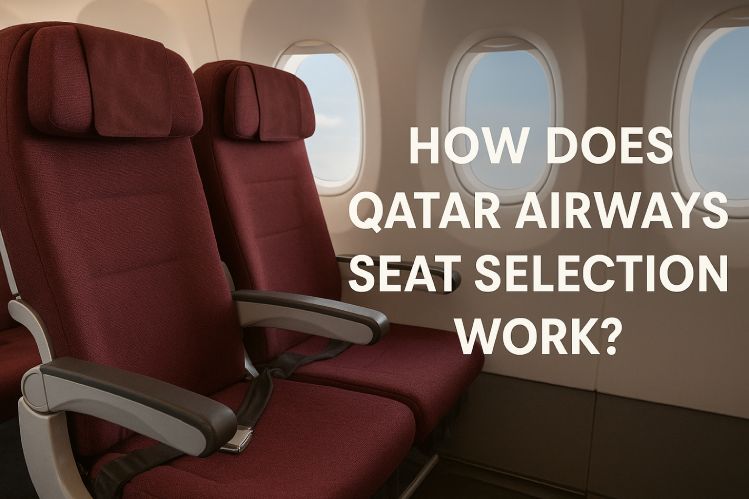

Qatar Airways seat booking depends on cabin class and fare type, with fees from $9–$250 per seat or free for eligible passengers.
There's a quiet moment after booking your flight when the seat map opens, and suddenly, your comfort in the sky depends on one choice. Will you have room to stretch? Sit near loved ones? Or secure a peaceful corner just for yourself? Qatar Airways seat selection shapes how your hours in the air feel. Here's what you need to know to make that choice count because your journey deserves it.
What is Qatar Airways seat selection policy?
Want more control over where you sit on your next flight? The Qatar Airways seat selection policy lets you choose your preferred seat, whether it's a window view, aisle access, extra legroom, or even comfort and convenience. Depending on your fare type, some seat choices are free, while others come at a fee. The policy enhances your travel experience and helps you feel relaxed even before takeoff.
🔰 Important Things to Know:
➔ Your Fare Type Affects Seat Choice
If you book Economy Lite or Classic, you'll need to pay for most seats. Economy Comfort and Business Elite offer free seat selection.
➔ You Can Choose From Four Seat Types
The options include Standard, Preferred, Extra Legroom, and Economy Reserve. Availability depends on your flight and aircraft type.
➔ Choose Your Seat Online Anytime
You can pick your Qatar Airways seats while flight booking, during check-in, or later through their website or app under "Manage Booking."
➔ Families with Infants Get Free Seats
If you're traveling with a baby, seat selection is free, and you can request a bassinet, but it's not always guaranteed.
➔ Most Seats Are Non-Refundable
Once you choose and pay for a seat, you can't change or cancel it. Refunds only apply for safety or airline-driven changes.
How does Qatar Airways seating work?
Qatar Airways seating works by allowing passengers to select from Standard, Preferred, Extra Legroom, or Economy Reserve seats based on fare type, aircraft layout, and availability through online booking, app, or airport check-in.
🔹This is how Qatar Airways seat arrangement works, step by step:
- Choose Your Fare Type: Your seat options depend on your fare. Economy Lite and Classic may have fees. Economy Comfort and Business Elite usually include free seat selection.
- Pick Your Seat While Booking: During flight booking, you'll see available seats on the Qatar Airways flight seat map. Choose one that fits your comfort.
- Select Seats Later via Manage Booking: Already booked? Use the Manage Booking section on the website or mobile app to pick or change your seat anytime before check-in.
- Check Availability by Seat Type:
- Standard Seats: Window, aisle, or middle (some are free).
- Preferred Seats: Qatar Airways Preferred seats are closer to the front, available for a fee.
- Extra Legroom: Located at exit rows or bulkheads.
- Economy Reserve: Reserve the seat beside you for more space.
- Most seats are non-refundable and non-transferable once you select them, unless the airline or operational reasons.
- Special Seat Access: Families with infants and elite members get free seats. You can ask for a bassinet, but it's not always available.
Make airlines manage bookings easily and fast! Reach us at +1 (323) 800 6001 for help with your travel plans today.
FondTip: If you're flying Virgin Australia on a Qatar Airways ticket, secure your preferred seat early — exit rows and rows 16–28 unlock only at check-in!
How to select seats on Qatar Airways?
Start your journey your way, Qatar Airways seat booking lets you choose your seat with ease when booking, checking in online, or managing your trip later.
➤ At the time of booking:
❖ Visit qatarairways.com or use the mobile app.
❖ Enter your route, dates, and passenger details.
❖ While booking your flight, you'll be prompted to select a seat based on your fare type and travel class.
❖ Choose from available seat options (some may require a fee).
➤ After booking (via Manage Booking):
❖ Go to the Manage Booking section to start your Qatar Airways seat selection online.
❖ Input your flight booking reference and last name.
❖ Click on "Select Seat" to view the seat map.
❖ Pick your preferred seat and proceed with any payment if required.
➤ During online check-in (48 hours before departure):
❖ Access online check-in on the website or app.
❖ Enter your details and select your seat.
❖ This is a good option for Economy Standard seats, which are often free at this stage.
➤ At the airport:
❖ If you haven't pre-selected, visit the check-in desk to request a seat.
❖ Subject to availability and your fare category, you may still choose or change your seat here.
***Note: For flexibility and comfort, always check your eligibility for free seat selection depending on your fare type, class, or Qatar Airways Privilege Club status.
📞 Your journey starts here! Whether you want to book Qatar Airways domestic or international flight tickets, reserve with ease at +1 (323) 800 6001.

Your email address will not be published.